


Castle Solitaire: Card Game
4.78.47K Reviews
App Specs
- Version
- 2.3.1.1845
- Updated On
- License
- Free
- Downloads
- 1,000,000+
- Developer
- MobilityWare
- Categories
- Card
- Platform
- Android
Screenshots

 Analysis by AppCompare
I found Castle Solitaire easiest to appreciate when I treated it as a quiet puzzle rather than a race. Its card-table format makes the basic aim familiar, but planning how to clear the layout gives each move a little weight. I can pick it up for a short pause in the day, then stop when I need to, without having to learn a complicated control scheme first. That straightforward starting point is a real strength, though the experience still depends on being comfortable reading and moving cards on a screen.
Who will enjoy this kind of solitaire
Castle Solitaire: Card Game is a card game from MobilityWare, and I’d suggest it to someone who likes thinking through a layout at an unhurried pace. If familiar solitaire games appeal but you want a slightly different card-clearing puzzle, this is a sensible one to try. It is free to download, rated for Everyone, and has a 4.7 average from around 101,000 ratings, so it has clearly found a broad audience. Those figures are useful context, but they don’t tell you whether its particular style will suit you; the best test is whether you enjoy considering a move before making it.
I would be less likely to recommend it to someone who wants a competitive multiplayer card game, a story campaign, or a fast action game. Its appeal is the quiet loop of looking at the cards, choosing a move, and seeing whether the layout opens up. If that sounds repetitive rather than relaxing, a different kind of card game will probably be a better fit.
The Gameplay Experience
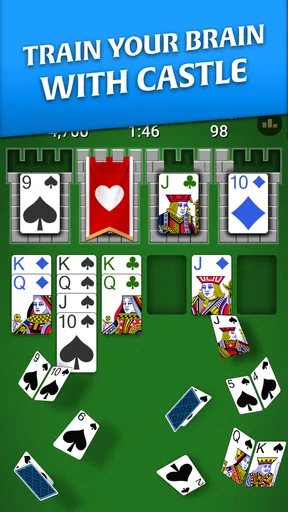
First things first, let’s talk about the gameplay. Castle Solitaire: Card Game takes the classic solitaire concept and adds a unique twist that keeps things interesting. The game revolves around clearing cards from the table by building up foundations in the correct order. Sounds simple, right? But trust me, the strategic depth it offers is anything but basic.
What I love about this game is how it manages to balance simplicity with complexity. It's easy to pick up and play, even if you’re new to card games, yet challenging enough to keep seasoned players engaged. There’s something incredibly satisfying about plotting your moves and watching your strategy unfold perfectly.
Readability and visual focus
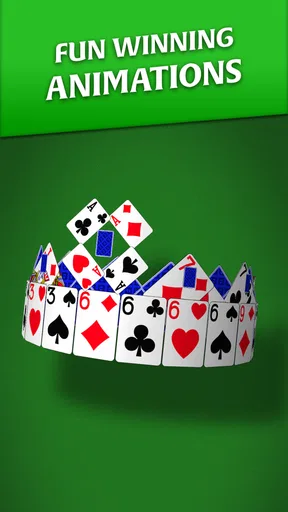
On the visual front, the game is a treat. The design is clean and crisp, which makes for a pleasant gaming experience. The cards are easy to read, and the animations are smooth, enhancing the overall gameplay. It doesn’t bombard you with flashy distractions, which is a big plus in my book.
For me, the practical question is whether I can identify the cards comfortably on the device I actually use. A layout that looks clear on a larger screen may feel tighter on a smaller phone, especially if I’m playing one-handed or holding the device at an awkward angle. I’d try a few moves before settling in: if I need to squint or keep repositioning my grip, that is a sign this particular screen setup may not be comfortable for a long session. Clear cards help, but they do not automatically make every display equally easy to use.
Worth Reading Before You Choose

EA SPORTS FC Mobile 26 Is a Bigger Football Game, but It Takes Time

Flipboard Shows What News Apps Must Do Beyond the Feed

Switching to Android Auto Means Rethinking Your Driving Routine

Google Calendar Makes a Crowded Week Easier to Manage

Ludo King Makes the Most of the Minutes Between Plans

Baby Panda World Brings Quick Play to Modern Phones, but Its Game Library Feels Busy
The sound design complements the visuals nicely. The gentle background music is soothing, providing a perfect backdrop as you focus on your card arrangements. It’s not intrusive at all, which is crucial for a game you might spend hours playing.
Navigation and making moves
The user interface is intuitive, making it straightforward to navigate through the game’s features. Controls are responsive, which is especially important in a game like this where precise movements can affect your strategy. Whether you’re dragging cards or tapping to make selections, everything feels fluid and responsive.
That choice between tapping and dragging matters more than it might seem. When my hands are busy, or I’m holding a drink or using the phone with one hand, a tap can be easier to manage than a careful drag. On the other hand, if I’m trying to select a particular card in a crowded area, dragging gives me a more deliberate sense of control. I’d use whichever interaction feels more reliable in the moment rather than assuming one method is always best.
A useful habit is to pause before moving a card instead of tapping quickly through a run of obvious-looking choices. This is not just about strategy: it also reduces the chance of making an unintended move when my thumb lands slightly off target. Solitaire gives me room to think, so there is little reason to turn it into a speed test.
A game for short breaks and quieter moments
A realistic place for this game in my day is a short wait: I can open it while waiting for an appointment, play a few moves, and put the phone away when my turn comes. It also suits a calm evening when I want something more involving than scrolling but less demanding than a game that requires quick reactions. The card puzzle gives my attention one clear job without asking me to coordinate movement, timing, and a stream of changing events.
That does not mean it is ideal in every setting. On a crowded commute, a sudden stop or a cramped grip can make precise card selection less comfortable. In a brightly lit outdoor spot, screen glare may also make any card game harder to read. I’d save it for a place where I can see the layout and hold my device steadily, rather than blaming the game if the surroundings make a careful puzzle frustrating.
For people who benefit from a lower-pressure pace, the lack of action-game urgency is a welcome quality. Still, I would not treat that as proof that it meets every accessibility need. Comfort depends on individual vision, dexterity, attention, and device size. If someone needs larger cards, spoken guidance, or specific assistive controls, they should check the game directly on their device before relying on it as a regular pastime.
Replayability, updates, and a measured comparison
Castle Solitaire: Card Game scores high on replayability. The developers have done a fantastic job of keeping the game fresh with regular updates and new challenges. This ensures that you’ll always have something new to tackle, preventing the gameplay from ever feeling stale.
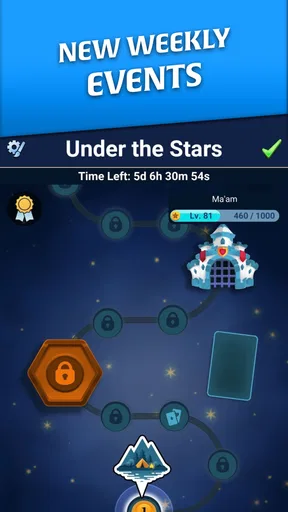
Moreover, the game occasionally hosts themed events, adding a seasonal flair to your card-solving sessions. It’s a great way to break the monotony and inject some excitement into your routine.
Compared with a standard solitaire app, this one has its own castle-building framing and a distinctive way of organizing the card-clearing goal. That gives it a clearer personality than a barebones deck-and-table presentation, while keeping the central pleasure rooted in familiar solitaire decisions. If you mainly want the most traditional version of solitaire, a conventional Klondike-style game may be a better match. If you enjoy trying a variation without leaving the card-puzzle genre, Castle Solitaire offers a useful middle ground.
One trade-off is that a familiar solitaire loop can still feel repetitive once the novelty of its presentation wears off. The themed events and challenges may give returning players a reason to revisit, but I would not choose it expecting a deep narrative or a dramatically different activity every session. It works best when I want the core card decisions themselves to be the entertainment.
Community, support, and setting expectations
One of the standout features of this game is its vibrant community. You’re never alone on this card-playing journey, as there are plenty of forums and social media groups where you can share tips, strategies, and even a little friendly banter. Plus, the customer support is responsive, which is always reassuring if you run into any hiccups.
I see community discussion as an optional extra, not something a new player needs before starting. Someone who enjoys comparing approaches may find it useful to talk through a tricky layout, while a private, quiet player can simply stick to the game itself. I would also keep expectations grounded: other players’ strategies can suggest possibilities, but choosing a move still depends on the cards in your own layout.
If I were deciding whether to install it, I’d also check that my device can run it. The current version is 2.3.0.1836, and the minimum operating system is 8.0. It has over one million installs, but broad popularity cannot guarantee that it will feel comfortable on every phone or suit every player’s preferences. A quick trial on the device I plan to use is more informative than assuming a well-liked game will fit my habits.
Cost, purchases, and the remaining friction
While the game is free to download and play, it does offer some in-app purchases. These aren’t necessary to enjoy the game, but they can enhance your experience if you’re willing to spend a bit. Thankfully, the game isn’t pushy about it, which is refreshing in today’s market.
For those who prefer to play without spending, you’ll be pleased to know that progress isn’t hindered by the absence of purchases. You can enjoy the full experience without feeling compelled to open your wallet.
Purchases range from $1.99 to $29.99 per item, so I’d treat them as optional spending rather than part of the basic cost of trying the game. If I’m unsure whether I’ll keep playing, I would first see how the free experience fits my routine and only consider a purchase if I understand exactly what it adds and genuinely want it. That approach is especially sensible for a casual game: a small convenience can feel tempting in the moment without being something I need to enjoy the card puzzle.
The main friction I would watch for is not a complicated rule set but the everyday fit of the interface. Card games ask for sustained visual attention, and even responsive controls can be tiring if a player has difficulty distinguishing card faces or making small touch selections. I’d take breaks when focus fades and avoid playing in conditions where glare, movement, or an unstable grip makes the layout hard to manage.
My inclusive verdict
Overall, Castle Solitaire: Card Game is a fantastic addition to any card game enthusiast’s collection. Its combination of strategic depth, satisfying gameplay, and community engagement makes it a standout choice. Whether you’re looking for a quick game during your break or something to immerse yourself in for hours, this game has got you covered. So, why not give it a try? You might just find yourself hooked!
My recommendation is a little more specific: I’d try it if I wanted a relaxed solitaire variation, readable cards, and decisions I can make at my own pace. I’d skip it if I needed a particular accessibility feature that I had not tested, or if I wanted competition, a very traditional solitaire layout, or more variety than a card-clearing loop can provide. MobilityWare’s game is strongest when the screen is comfortable to view, touch input feels manageable, and a quiet puzzle is exactly what I’m in the mood for.
Pros
- Simple and intuitive gameplay.
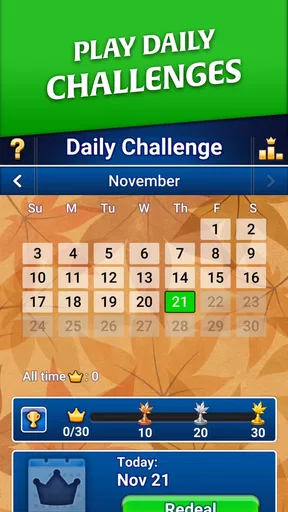
- Daily challenges keep it engaging.
- Offline play available.
- Visually appealing graphics.
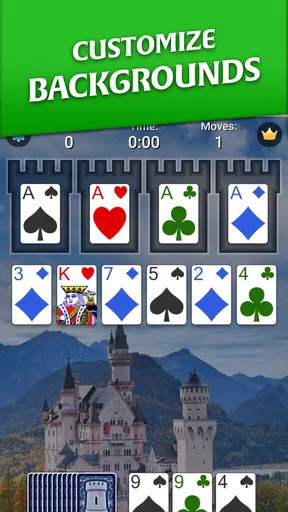
- Customizable card backs and themes.
Cons
- Contains in-app ads.
- Limited advanced features.
- No multiplayer mode.
- Requires frequent updates.
- May drain battery quickly.
FAQs for Castle Solitaire: Card Game
What is Castle Solitaire: Card Game?
Castle Solitaire is a captivating single-player card game that offers a unique twist on the classic solitaire experience. Players work to strategically build foundations and clear the tableau by following specific rules. With engaging gameplay and beautiful graphics, it's a great way to enjoy a relaxing yet challenging card game on your Android or iOS device.
How do I play Castle Solitaire: Card Game?
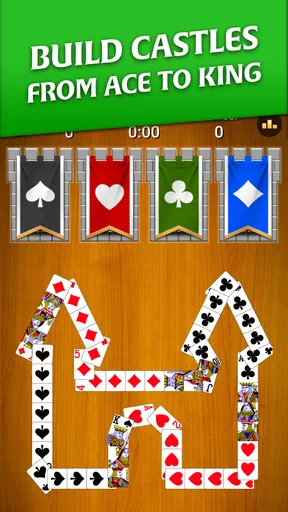
The objective of Castle Solitaire is to build four foundation piles starting from Ace to King, with each pile consisting of cards of the same suit. Players must arrange the cards in the tableau in descending order and alternate colors. It requires strategy and careful planning to ensure you can move all cards to the foundations.
Is Castle Solitaire: Card Game free to download and play?
Yes, Castle Solitaire is free to download and play on both Android and iOS platforms. However, the game may offer in-app purchases that can enhance the gameplay experience, such as additional themes or hints. Players can enjoy the full game without making any purchases, although these options can provide additional convenience.
What are the system requirements for Castle Solitaire: Card Game?
Castle Solitaire is designed to be compatible with a wide range of devices. For Android, it typically requires version 4.4 and up, while iOS devices generally need iOS 9.0 or later. It's a lightweight app, so it won't take up much storage space, but checking your device's compatibility before downloading is always a good idea.
Does Castle Solitaire: Card Game require an internet connection?
Castle Solitaire can be played offline, making it an excellent choice for users who want to enjoy the game without needing a constant internet connection. However, certain features like updates, accessing leaderboards, or in-app purchases may require an internet connection. This flexibility allows users to play anytime, anywhere.


